Commands, Tips, Help
for Autodesk Fusion 360
EngTip Active Helper for Autodesk Fusion360
- Don't understand the commands?
- Don't know what's what?
- Want to see how to do it right away?
All commands, tips, help, animation for YOU!
ONE TIME PAYMENT - NO SUBSCRIBTION!
TRIAL version is FREE!
The TRIAL version only includes the commands from the Solid palette and selected commands from the Sketch palette, as well as some previews of the other interfaces.

Thanks for all the feedback:
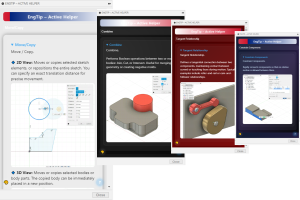
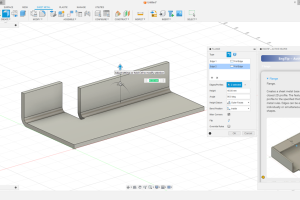
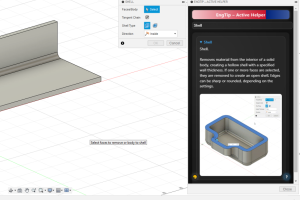
EngTip is a smart command-helper for Fusion 360.
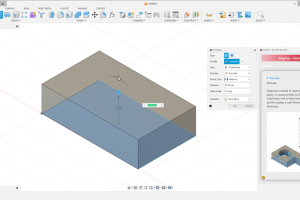
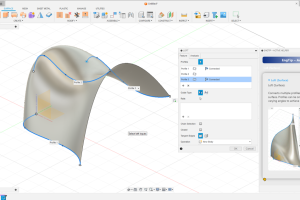
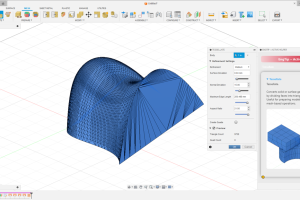
Over 200 built-in GIFs show you exactly how each feature works — instantly. No searching, no guessing, no tutorials needed. Just click a command, and watch the solution.
Perfect for beginners and professionals who want to work faster, learn quicker, and understand Fusion tools at a glance. EngTip turns every command into a clear visual guide — right inside your workflow.
- Speed up your modeling.
- Learn visually.
- Work confidently.
All commands in Design workspace clearly, simply, with examples:
Sketch, Solid, Surface, Mesh, Sheet Metal, Plastic, Assemble, Configure, Construct, Instpect, Insert, Select
WHY ENGTIP?
Because Fusion 360 becomes faster, clearer and easier when every command finally makes sense.
EngTip doesn’t just list features — it shows them. Visually. Instantly. Right when you need it.
⭐ 1. Visual learning — no more guessing
Every command has a short, clean GIF that shows exactly how it works.
No YouTube search, no forum diving, no “what does this button do?” moments.
⭐ 2. Works inside your workflow
You don’t leave Fusion.
You don’t open a long tutorial.
You click → you see → you do.
That’s productivity.
⭐ 3. Perfect for beginners AND pros
Beginners understand tools faster.
Advanced users stop wasting time on rarely used commands.
Teachers love it. Students rely on it.
⭐ 4. Covers the entire Design workspace
Sketch, Solid, Surface, Mesh, Sheet Metal, Tools — all clear, all structured, all visual.
⭐ 5. Think less. Model faster.
EngTip removes confusion, speeds up your decisions, and keeps you in flow.
More focus. More clarity. More results.
⭐ 6. Updates grow with Fusion 360
As Fusion evolves, EngTip evolves with it — new commands, new GIFs, new explanations.
Need help?
Write to us: cadprofesszor@gmail.com